
Guide
Keyboard shortcuts for the operator
Hands on the keyboard, no hunting with the mouse while the church sings. In the app, Ctrl+/ shows them all.
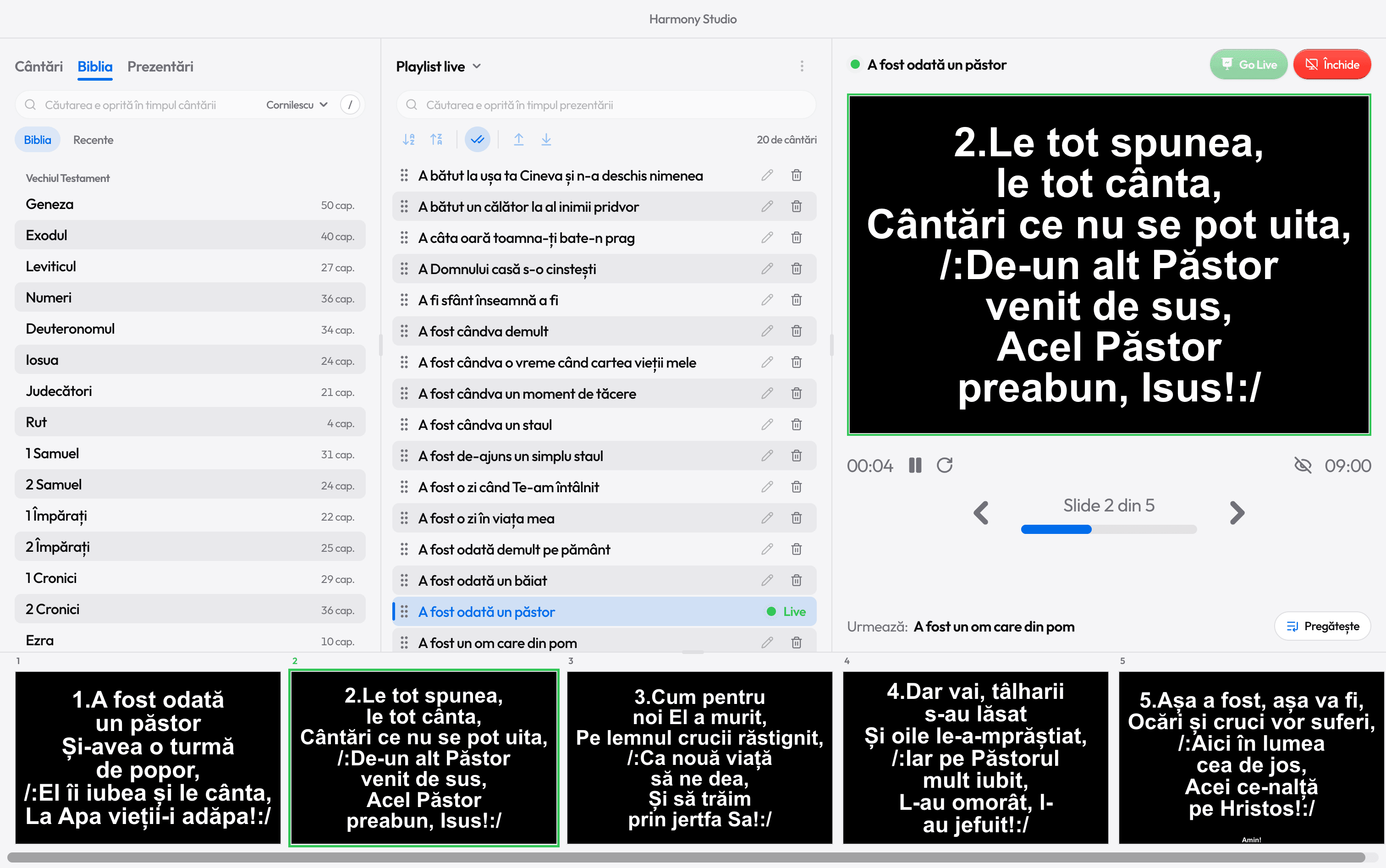
During the projection
- Ctrl+Enter
- Go Live: send to the projector
- →
- Next slide (or ↓)
- ←
- Previous slide (or ↑)
- 1–9
- The verse with that number
- R
- The chorus after the current verse
- B
- Hide the text (the background stays)
- Shift+B
- Turn the projector fully black
- Home
- First slide
- End
- Last slide
- Esc
- Stop the projection
The playlist
- N
- Next song into preview
- Shift+N
- The previous song
- Shift+Enter
- Add the search result to the playlist
- Delete
- Remove the song (row reached with Tab)
Search
- /
- Jump to the open tab’s search
- Ctrl+1
- Songs tab (Ctrl 2 Bible, Ctrl 3 Presentations)
- Enter
- The result into preview
- Ctrl+Enter
- The result straight to the projector
The Bible
- V
- Find a verse from anywhere (or Ctrl K)
- Shift+→
- Next chapter
- Shift+←
- Previous chapter
- 1–9
- Numbers go to a verse: 1 then 6, verse 16
The window
- Ctrl+/
- All shortcuts
- Ctrl+N
- Studio: a new song
- Ctrl+P
- Print the song
- Ctrl+,
- Settings
- Ctrl++
- Make the window larger (Ctrl − smaller)
- Ctrl+0
- Normal size

Ready for the service?
Get Harmony Studio from the Microsoft Store. It’s free, needs no account, and keeps itself up to date.

- Free
- No account
- Works offline
- Windows 10 and 11