Import songs from PowerPoint
Your folder of PowerPoint songs,
moved in a minute
Each file becomes a song, titled after the file name. Then you find them by title or by a line of the lyrics, not by digging through folders.

Step by step
How to import songs from PowerPoint
Open Studio
From the File menu or with Ctrl+N.
Choose Import from PowerPoint
Then pick the folder of songs, or just a few .pptx files.
Read the report
See which songs were already there (they’re skipped), which files couldn’t be read and which are worth a check.
What gets imported
One file, one song
The title is the file name, and each slide stays a slide.
Only the files in the folder
Subfolders aren’t read. Only .pptx files are imported.
Hidden slides are skipped
So are empty ones.
No duplicates
A song with the same lyrics as one in the library isn’t imported again.
Why move on from PowerPoint
One library
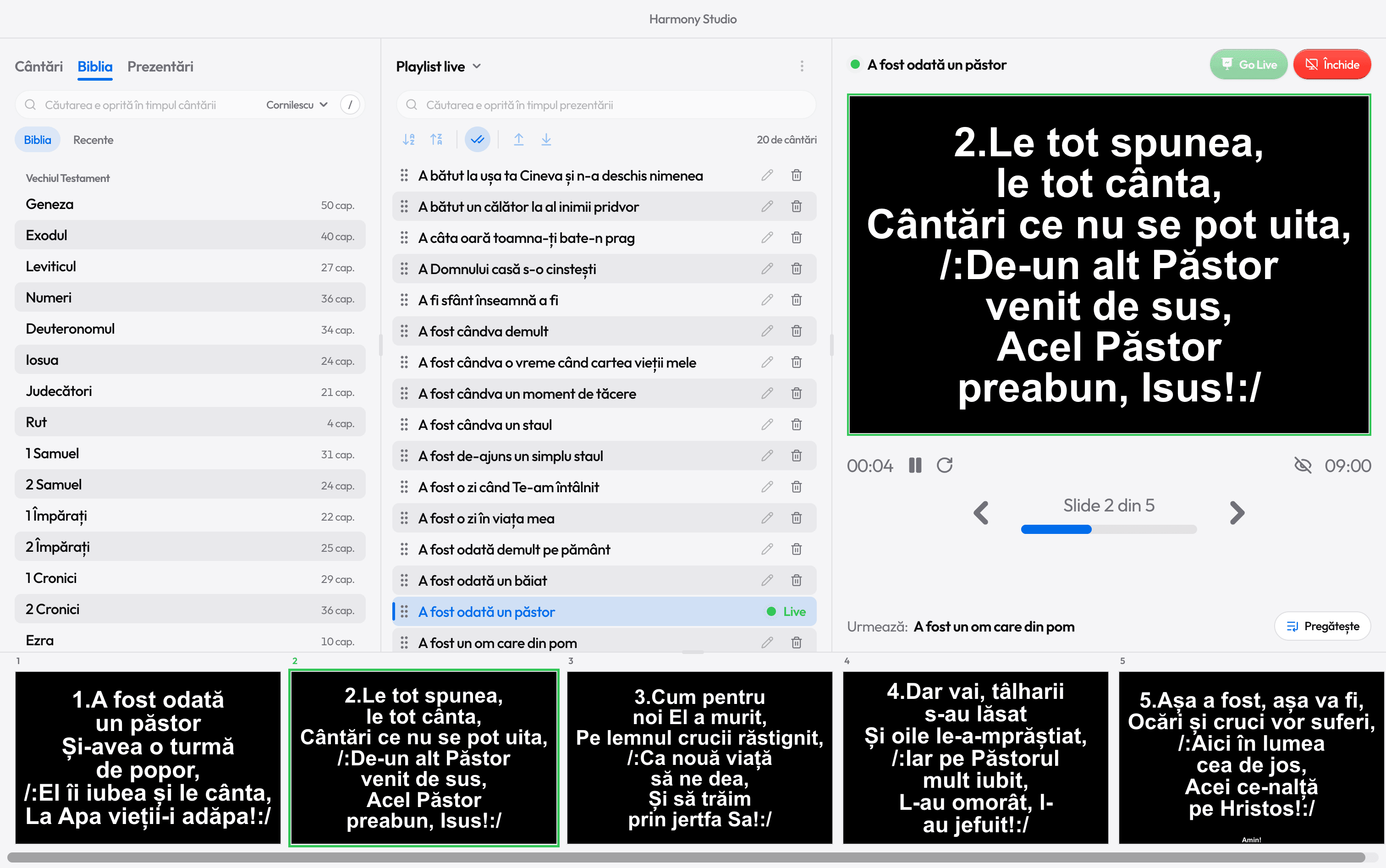
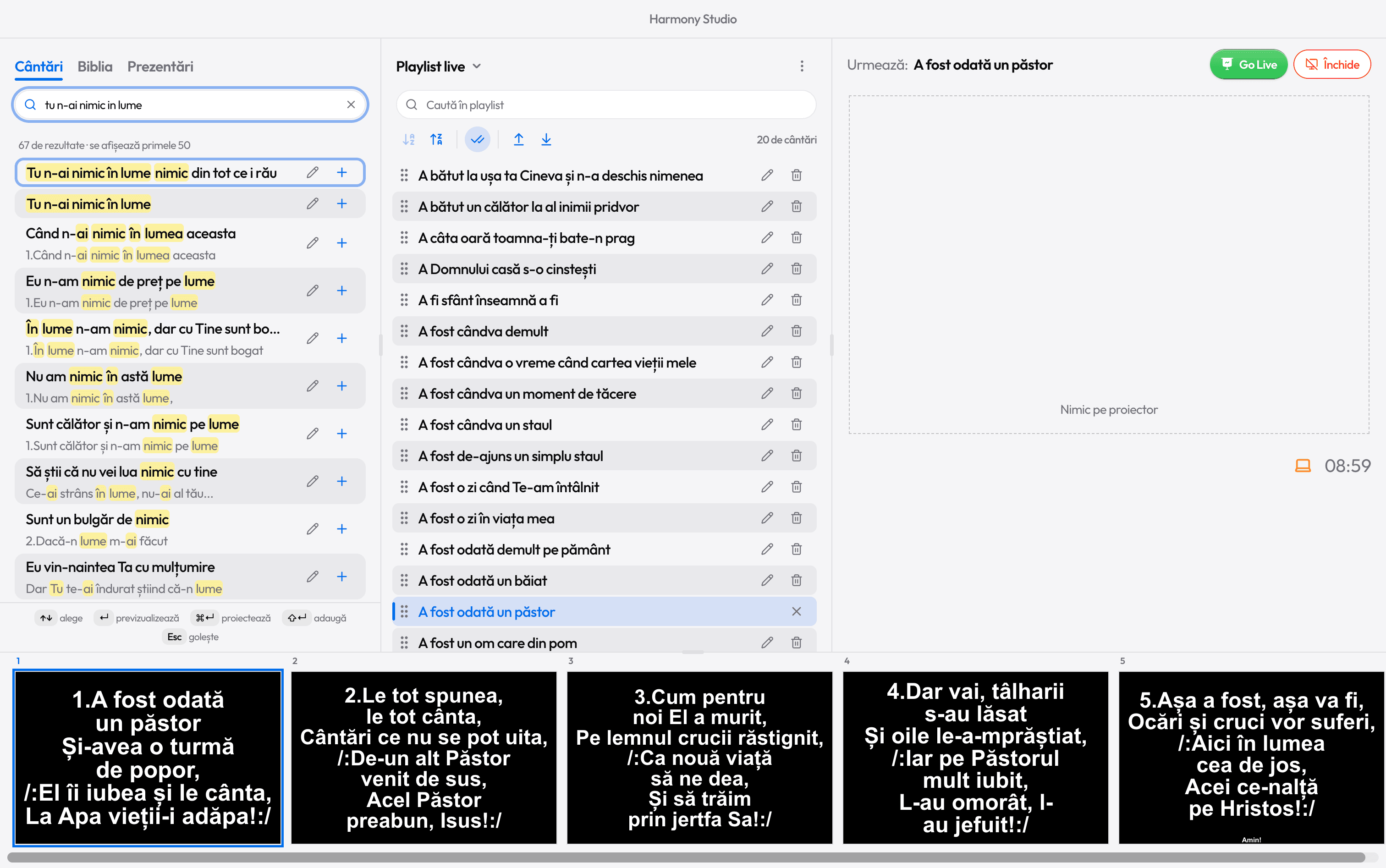
No more hunting for the right file. Type a few words from the lyrics and the song is there.
Any verse, one key
2 jumps to the second verse, R to the chorus. No counting slides.
One look
Font, colors and text size are set once, for every song.
No duplicates
A song with the same lyrics as one in the library isn’t saved twice.
After the import
Fix a song in seconds
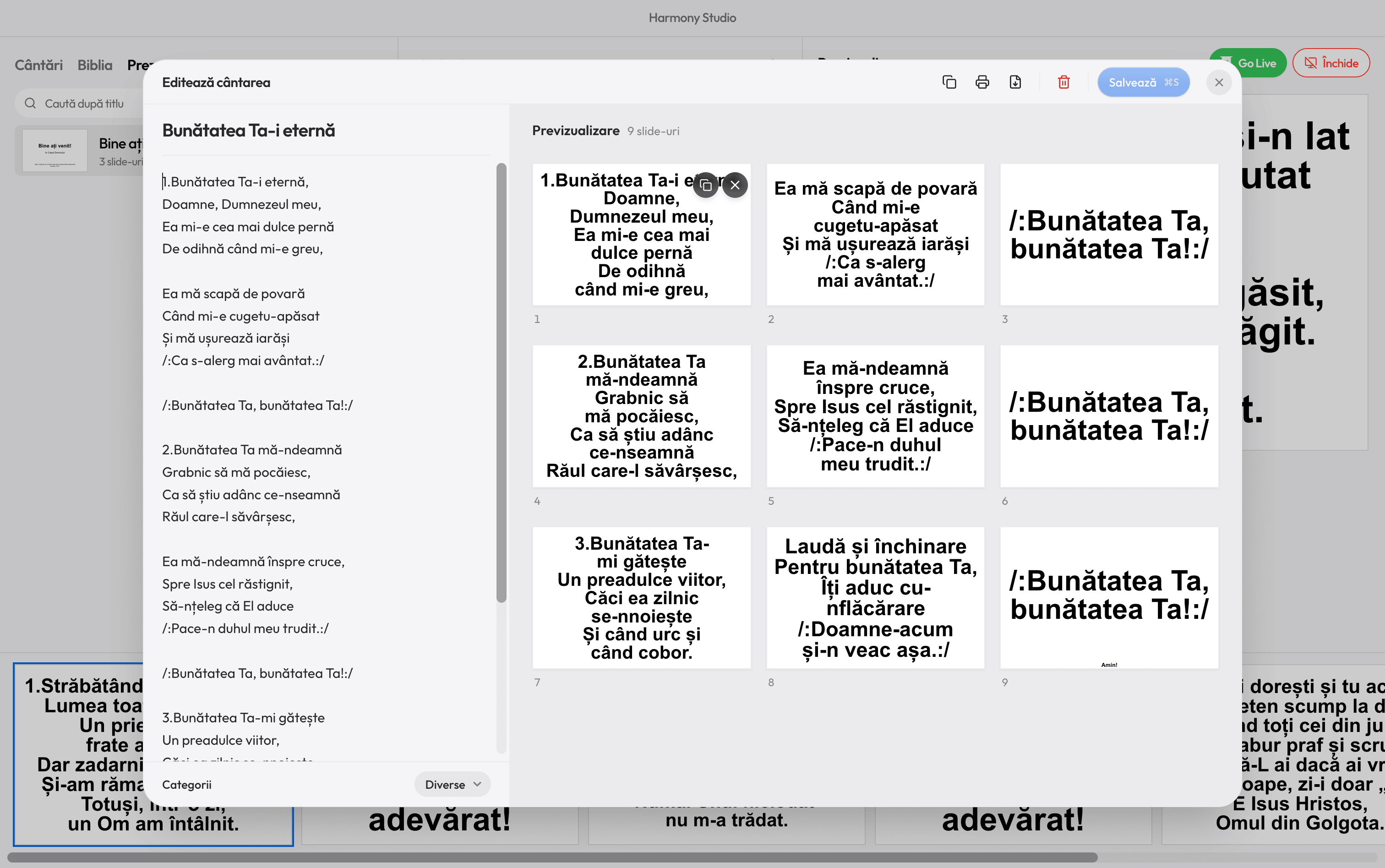
The lyrics are on the left, the slides on the right, exactly as they’ll appear on screen. Drag slides into another order, duplicate a chorus sung twice, or remove one you skip.
Categories (Christmas, Wedding, Funeral and the rest) are added by themselves, from the title and lyrics.
A library included
And if you have no files at all
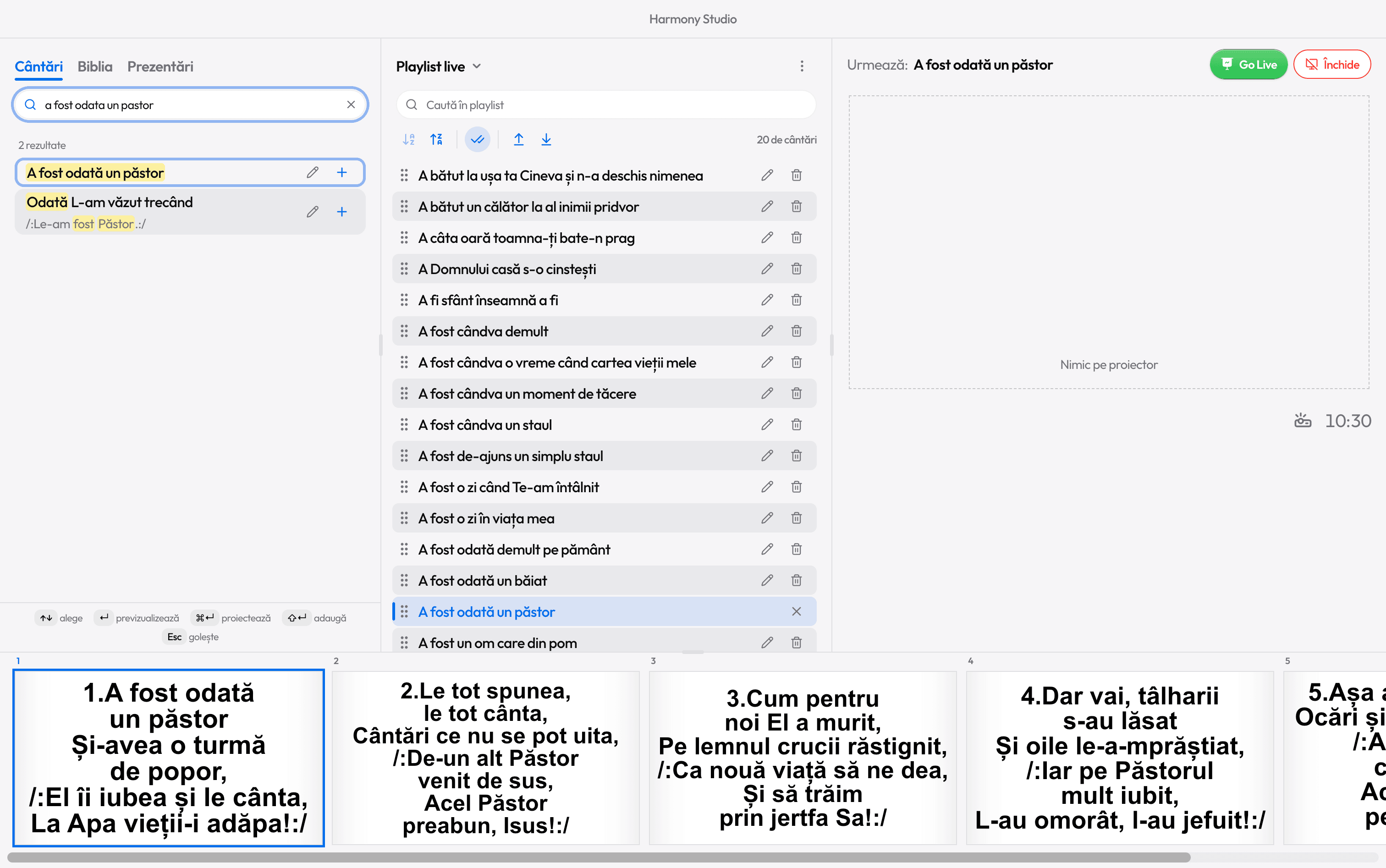
Harmony comes with over 10,000 Christian songs, in Romanian. Search by title or lyrics, with or without diacritics, even with typos.
For a song that’s missing, open Studio and paste the lyrics: the slides appear as you type.

Ready for the service?
Get Harmony Studio from the Microsoft Store. It’s free, needs no account, and keeps itself up to date.
- Free
- No account
- Works offline
- Windows 10 and 11