Skip to content
HarmonyStudio
  • Projection
  • Bible
  • PowerPoint
  • Stage
  • Guide
  • FAQ
RODownload

Guide

A playlist from the list you got on WhatsApp

The worship leader posts the list in the group chat. You copy it, paste it into Harmony, and every line finds its song.

Church choirWorship leader, Ana, Daniel, Maria, you

Today

Worship leader

1. Străbătând în lung și-n lat 🙏

2) Bunătatea Ta-i eternă

3 - Tu totdeauna Doamne ești cu mine

4. A fost cândva un staul ✨

5. Doamne bunătatea Ta îmi cuprinde inima

08:42
Message
CtrlV
Live playlist5 songs
  • Străbătând în lung și-n latfound
  • Bunătatea Ta-i eternăfound
  • Tu totdeauna Doamne ești cu minefound
  • A fost cândva un staulfound
  • Doamne bunătatea Ta îmi cuprinde inimafound

Step by step

  1. 1

    Copy the list

    In WhatsApp, press and hold the message and choose Copy. It works the same from an email or a document.

  2. 2

    Open Add from a list…

    In Harmony, from the playlist’s ⋮ menu, choose Add from a list….

  3. 3

    Paste

    With Ctrl+V. Numbering, emoji and symbols are ignored; each line looks for its song by title, even if it’s spelled loosely.

  4. 4

    Check the matches

    For each line you see the song it found. Pick another match, or leave the line out.

  5. 5

    Add them all at once

    The songs go into the chosen playlist or a new one, in the list’s order.

Left out

  • 1.
  • 2)
  • 3 -
  • •
  • 🙏
  • ✨

Found by title, even spelled loosely

bunatatea ta i eternaBunătatea Ta-i eternă

Good to know: A title it can’t find? Search for the song by a line of its lyrics. If it’s not in the library, Create song opens Studio with the title filled in.

Read next

  • The service playlistThe songs in the order you sing them, ready ahead of time.Learn more
  • Lyrics projectionPlaylist, preview, Go Live: how a service runs with Harmony.Learn more
  • PowerPoint importYour folder of PowerPoint songs goes into the library in a minute.Learn more

Ready for the service?

Get Harmony Studio from the Microsoft Store. It’s free, needs no account, and keeps itself up to date.

Get it from Microsoft StoreHow to install
  • Free
  • No account
  • Works offline
  • Windows 10 and 11
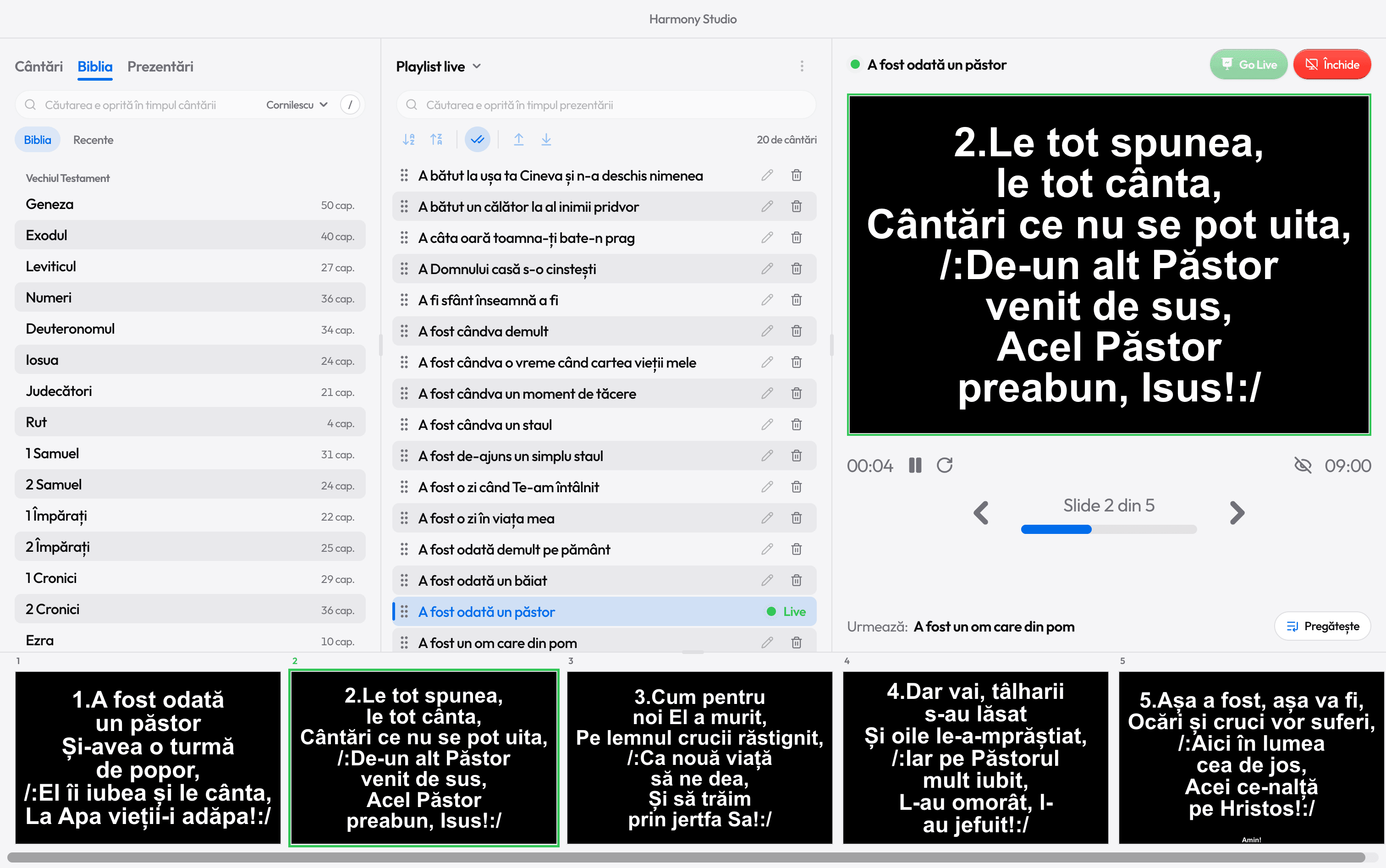
Harmony Studio during a service: the song library, the service playlist, the live slide and the row of verses
HarmonyStudio

Free song lyrics projection software for churches, for Windows 10 and 11.

Get it from Microsoft Store

Product

  • Lyrics projection
  • Bible on the projector
  • PowerPoint import
  • Stage display
  • Download

Help

  • Operator’s guide
  • Connect the projector
  • Choosing projection software
  • FAQ
  • What’s new

Contact

harmonyst.info@gmail.comSupport HarmonyHarmony is free and has no ads. If it helps you, you can support it.

© 2026 Beniamin Sferciuc · Version 1.4.0Privacy

EnglishRomână

Harmony

We use Google Analytics to see how many people visit the site and which pages help them. It only runs if you agree. Details